Redmi Note 11 Pro 4G ( Viva - Vida ) ANA KONU

Durum
Üzgünüz bu konu cevaplar için kapatılmıştır...

GSMFORUM

Administrator
Yönetici

Redmi Note 11 Pro 4G Viva ROM Yükleme (Türkçe) – Yazılım Modu


Sitemizden Eng ROM’u indirin.
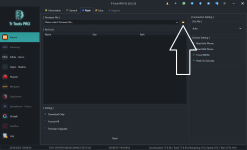
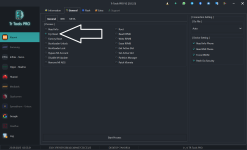
Trtools Pro’yu açın.
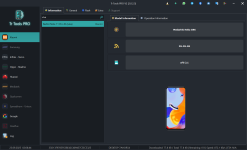
Viva model bölümüne gidin.
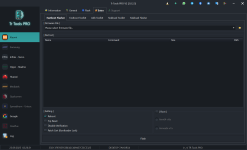
Flash sekmesine geçin.
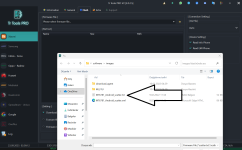
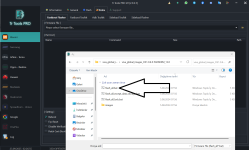
İndirdiğiniz ZIP dosyasını çıkarın, ardından Trtools Pro’daki dosya seçme simgesine tıklayarak çıkarılan dosyayı seçin.
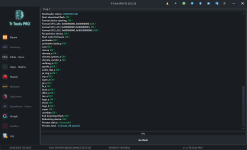
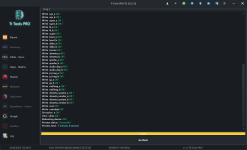
Flash butonuna tıklayarak işlemi başlatın.
Cihazı tuşlara basarak bağlayın.


Redmi Note 11 Pro 4G Viva Installation (English) – Software Mode

Download the Eng ROM from our website.
Open Trtools Pro.
Go to the Viva model section.
Navigate to the Flash tab.
Extract the downloaded ZIP file, then click the file-selection icon in Trtools Pro and choose the extracted file.
Click the Flash button to start the process.
Connect the device while pressing the hardware keys.
vivamodel.pngvivaflash.pngvivasecim.pngengromflash.png

 
Son düzenleme:

GSMFORUM

Administrator
Yönetici

Redmi Note 11 Pro 4G Viva Stock ROM Yükleme (Türkçe) – Fastboot Modu


Stock ROM’u indirin.
Trtools Pro’yu açın.
Viva model bölümüne gidin.
Extra bölümüne tıklayın.
Fastboot Flash bölümüne geçin.
İndirdiğiniz ZIP dosyasını çıkarın, ardından Trtools Pro’daki dosya seçme simgesine tıklayarak çıkarılan dosyayı seçin.
Cihazı kapatın ve ses kısma tuşuna basılı tutarak bağlayın; ekranda Fastboot yazısı göründüğünde bırakın.

Flash butonuna tıklayarak işlemi başlatın.

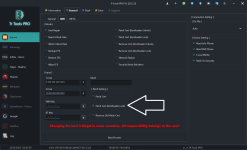
Not : Cihaz Yurtdışı ise Nvdata hatasına düşecektir Patch Cert ( Bootloader Lock ) Seçeneği ile onarım yapın


Redmi Note 11 Pro 4G Viva Stock ROM Installation (English) – Fastboot Mode


Download the Stock ROM.
Open Trtools Pro.
Go to the Viva model section.
Click the Extra menu.
Navigate to the Fastboot Flash section.
Extract the downloaded ZIP file, then click the file-selection icon in Trtools Pro and choose the extracted file.
Power off the device and connect it while holding the Volume Down button; release when the Fastboot screen appears.

Click the Flash button to start the process.
Note: If the device is an international (imported) unit, it will encounter an Nvdata error.

Repair it using the Patch Cert (Bootloader Lock) option.

vivafastboot.pngfastboot.pngvivafastbootrom.png

 
Son düzenleme:

GSMFORUM

Administrator
Yönetici

Redmi Note 11 Pro 4G Viva Patch Cert (Bootloader Lock) Onarım (Türkçe)

Viva modelini seçin.
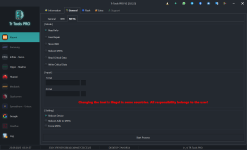
IMEI bölümüne gidin.
1 ve 2. IMEI numaralarını yazın.
Start Process düğmesine basın.
Cihaz kapalıyken ses açma ve güç tuşlarına basılı tutarak bağlayın.
İşlemin bitmesini bekleyin ve tamamlandığında kontrol edin.


Redmi Note 11 Pro 4G Viva Patch Cert (Bootloader Lock) Repair (English)

Select the Viva model.
Go to the IMEI section.
Enter the 1st and 2nd IMEI numbers.
Click the Start Process button.
With the device powered off, connect it while holding the Volume Up and Power buttons.
Wait for the process to complete, then verify once it’s finished.

vivaimeipachbl.pngpachbllock repair.png
 

GSMFORUM

Administrator
Yönetici

Redmi Note 11 Pro 4G Viva Efs Silinmiş Cihaz Critical Oluşturma ve Yazma (Türkçe)


Merhabalar, Note 11 Pro 4G cihazınıza critical dosyayı nasıl yazacağınızı anlatacağım. Lütfen adımları dikkatle takip edin.
Ben işlemi ENG ROM ile gerçekleştirdim; siz de önce ENG ROM yüklemenizi öneririm.


1 – Sitemizde bulunan ENG ROM’u cihaza atın.
2 – Cihazı normal açın.
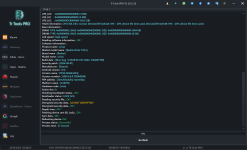
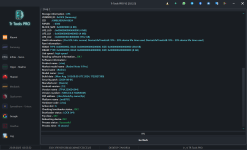
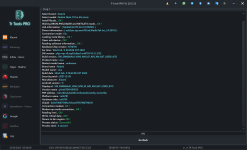
3 – Cihazı Meta mod bölümünden Read Info yapın.
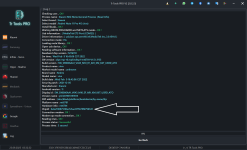
4 – CPUID yazan değeri not edin. (Cpuid 0 dahil ilk 10 karakterini alacaksınız.)
5 – Ben UDES kullandım, bu yüzden UDES ile anlatıyorum:

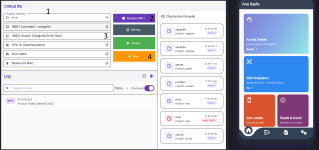
UDES 1 – Cihaz modelini seçin.

UDES 2 – Rastgele IMEI oluşturun.

UDES 3 – Not aldığınız CPUID değerini girin.

UDES 4 – Onar butonuna basın, inen dosyayı cihaza yazın ve kontrol edin.

Son olarak Critical dosyasını metada yazın.


Redmi Note 11 Pro 4G Viva EFS Deleted Device Critical Creation & Writing (English)


Hello, I will explain how to write the critical file to your Note 11 Pro 4G device. Please follow the steps carefully.

I performed the procedure using an ENG ROM, and I recommend that you also flash the ENG ROM first.


1 – Flash the ENG ROM from our website to the device.
2 – Power on the device normally.
3 – In Meta Mode, use Read Info on the device.
4 – Note the value shown as CPUID. (You will take the first 10 characters of the CPUID, including the leading 0.)
5 – I used UDES, so I will explain using UDES:

UDES 1 – Select the device model.

UDES 2 – Generate a random IMEI.

UDES 3 – Enter the CPUID value you noted earlier.

UDES 4 – Click Repair, write the downloaded file to the device, and check it.

Finally, write the Critical file in Meta mode.

metamodcpuidokuma.pngcpuid.pngudes1.pngmetamodecriticalwrite.png
 
Son düzenleme:
Durum
Üzgünüz bu konu cevaplar için kapatılmıştır...
Üst