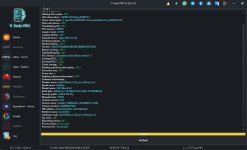

S19 Max Pro FRP Reset (Trtools Pro V2)
Bu cihaz Spreadtrum işlemcili olduğu için FRP işlemi oldukça kolaydır. Ancak birkaç farklı yöntem bulunduğundan, adımları dikkatlice takip ederek işlemi sorunsuz şekilde tamamlayabilirsiniz.
1 - Trtools Pro V2’yi açalım ve Spreadtrum – Unisoc bölümünden “All” seçeneğini işaretleyelim.
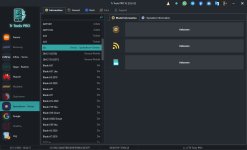
2 - General sekmesine gelelim, FRP kutusunu işaretleyelim ve resimde görüldüğü gibi “T610_v2_64bit” seçeneğini seçelim.
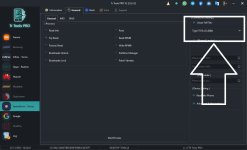
3 - Son olarak işlemi başlattıktan sonra, telefonda ses açma + ses kısma tuşlarına aynı anda basarak cihazı bağlayalım.
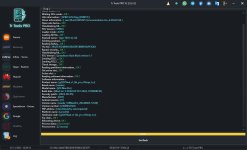
S19 Max Pro FRP Reset (Trtools Pro V2)
This device uses a Spreadtrum chipset, so the FRP reset process is quite simple. However, since there are a few different methods, follow the steps carefully to complete it smoothly.
1 - Open Trtools Pro V2 and select the “All” option inside the Spreadtrum – Unisoc section.
2 - Go to the General tab, tick the FRP option, and select “T610_v2_64bit” as shown in the image.
3 - Finally, after starting the process, press both Volume Up + Volume Down buttons on the phone and connect the device.